Travel Scam & Digital Safety Checklist for 2026 Trips
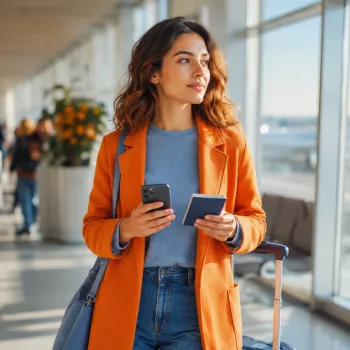
Travel Security & Scam Awareness Guide: Digital Safety Handbook for Tourists, Solo Travelers & Business Trips
Travel risks often come from small moments: a “helpful” stranger at an ATM, a QR code on a café table, a rushed check-in on public Wi‑Fi, or a convincing message that looks like it came from an airline. A practical security routine—before departure, in transit, and after check-in—reduces exposure to scams, theft, and account takeovers without turning the trip into a chore.
Know the most common travel threats (and why they work)
Most successful travel scams don’t rely on high-tech hacking. They rely on social engineering: urgency, distraction, and friendliness—especially when you’re tired, jet-lagged, or navigating an unfamiliar place.
- High-frequency street scenarios: “Wrong change” tricks, menu overcharges, taxi detours, fake officials, bag distraction theft, and card skimmers near tourist zones.
- Digital traps: Rogue Wi‑Fi hotspots, phishing texts about flight changes, malicious QR codes, and fake booking pages that look nearly identical to real brands.
- Business-travel risks: Shoulder surfing in lounges, targeted spear-phishing aimed at corporate email, and document exposure in rideshares or hotel business centers.
A simple rule holds up almost everywhere: any interaction that pushes immediate action (pay now, click now, verify now) deserves a slow-down checkpoint. If someone tries to rush you, that’s the moment to pause and verify independently.
Pre-trip setup: lock down accounts and devices before leaving
The easiest security wins happen at home, on a calm day, before you’re juggling bags and boarding passes. Small prep steps reduce the damage from a lost phone, compromised account, or stolen wallet.
Pre-Trip Security Checklist
| Task | Why it matters | Done |
|---|---|---|
| Enable MFA on email + banking | Email compromise often leads to password resets and account takeovers | □ |
| Update OS/apps; enable auto-updates | Patches close known vulnerabilities used in opportunistic attacks | □ |
| Turn on device tracking + remote wipe | Reduces damage if a phone/laptop is lost or stolen | □ |
| Back up photos/documents securely | Prevents data loss and speeds recovery after theft | □ |
| Freeze/monitor credit if appropriate | Limits new-account fraud if identity data is exposed | □ |
| Save issuer support numbers offline | Helps when phone service or apps are unavailable | □ |
Money and documents: reduce the impact of theft or tampering
On-the-move safety: airports, stations, taxis, and hotel check-in
Digital safety on travel networks: Wi‑Fi, QR codes, and charging
- Assume public Wi‑Fi is hostile: avoid logging into banking or critical accounts unless using a trusted connection.
- Prefer mobile data or a personal hotspot: if Wi‑Fi is necessary, confirm the exact network name with staff and disable auto-join.
- Use HTTPS-only mode where available; consider a reputable VPN for extra protection on untrusted networks, especially for business travel (see CISA guidance on securing wireless networks).
- Treat QR codes as links: scan only when the source is trusted. If it opens a login page, exit and navigate manually in the official app or by typing the address.
- Avoid unknown USB charging ports: use an AC adapter or a USB data blocker to reduce “juice jacking” risk.
- If a device is lost: lock down email first (it’s the gateway), then financial accounts; change passwords and revoke active sessions.
Scam patterns to recognize quickly (tourist and business-trip edition)
Quick screening script: pause, verify independently, and pay only through traceable, official channels. For common scam types and reporting guidance, the FBI’s overview of frauds and scams is a helpful reference.
If something goes wrong: a calm recovery plan
- Immediate actions after theft: move to a safe location, contact local authorities, and request an incident report number.
- Financial triage: freeze cards, report unauthorized charges, and note the time/location; keep copies of communications for disputes.
- Account triage: secure email, revoke device sessions, rotate passwords, and re-enable MFA where needed.
- For passports: contact the nearest embassy/consulate and follow replacement steps; keep backup ID and copies ready (the U.S. State Department’s Traveler’s Checklist is a solid pre-departure reference).
- Post-incident cleanup: monitor accounts for weeks, review connected apps, and consider a credit report check if identity details were exposed.
A ready-to-use companion for safer trips
If you want a structured, step-by-step reference you can save to your phone or print, the Travel Security & Scam Awareness Guide | Digital Safety Handbook for Tourists, Solo Travelers & Business Trips is designed for real travel conditions: checklists, situational tips, and quick actions when a scam, loss, or account warning appears.
- Healthy Meal Plan & Recipe Collection | One-Week or One-Month Healthy Meal Plan with Recipes for Breakfast, Lunch, Dinner & Snacks | Balanced Nutrition eBook
- First-Time Parent Survival Guide – Newborn Care, Sleep Tips, Emotional Support & Parenting Strategies Digital Download
FAQ
Is a VPN necessary while traveling?
A VPN is most useful on public Wi‑Fi and for business travelers handling sensitive work accounts. Mobile data or a personal hotspot is often safer by default, and a VPN complements (not replaces) HTTPS, MFA, and strong password hygiene.
What are the first three things to do if a phone is stolen abroad?
Secure your email account first, then lock or wipe the device using Find My features, then freeze or lock down financial accounts tied to that phone. After that, file a police report and contact your carrier to block the SIM/eSIM.
How can QR code scams be avoided without skipping QR menus and tickets?
Scan only codes from trusted sources and check the URL carefully before proceeding. Avoid entering passwords on a page opened from a QR code; instead, use the official app or type the website address manually.












Leave a comment